

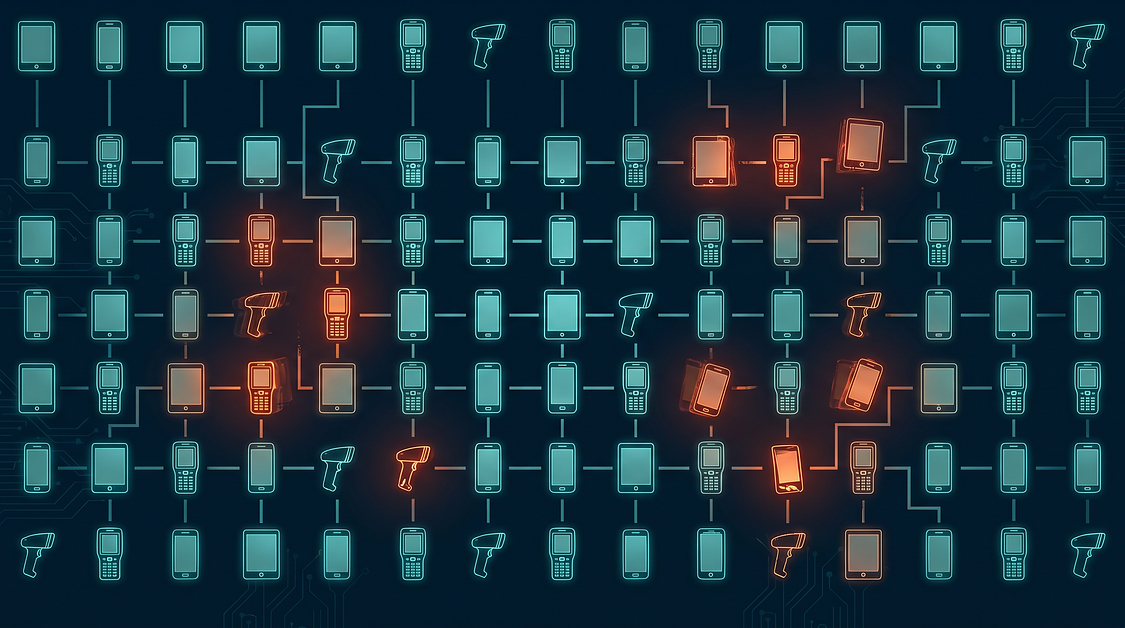
An IT Director pulls up her MDM compliance dashboard for the first time in three months. What she finds shouldn’t surprise her, but it does: 15% of enrolled devices have drifted out of policy. Encryption disabled on 47 handhelds. Security certificates expired on another 80. Three devices that left the company with terminated employees still show as active.
The MDM platform flagged every violation. Nobody was watching.
This gap between what an MDM platform can do and what it actually does in a typical Canadian enterprise is where MDM as a Service (MDMaaS) exists. IT teams know their SOTI or 42Gears environment is underperforming. They don’t have the bandwidth to fix it.
The complexity keeps compounding. According to SOTI’s State of Mobility report, 72% of IT professionals say managing mobile devices has become more complex in the past year—yet headcount rarely grows to match. For IT Directors juggling ERP, cybersecurity, networking, and help desk alongside device management, the MDM console becomes the thing that gets checked when there’s time.
This post breaks down exactly what PiiComm’s MDMaaS delivers—platform by platform, vertical by vertical—so you can evaluate whether it fits your environment before picking up the phone.
The gap between owning an MDM platform and operating one
Every MDM platform PiiComm takes over has the same pattern: strong initial configuration, gradual policy drift, and a growing backlog of alerts nobody triages.
The pattern isn’t a technology failure. It’s an operational staffing reality. The team that configured the MDM moves on to other projects, or leaves the organization entirely, or gets absorbed into the next infrastructure crisis. The platform keeps running. The administration doesn’t.
What accumulates in that gap isn’t visible until someone looks.
In a representative onboarding scenario, a healthcare network’s 3,000-device SOTI environment had 400 devices drift out of compliance after the original configuration team turned over. The devices were enrolled. They appeared “managed” in the console. But the policies they were enforcing were two years old, written before the organization’s current security standards existed. Nobody had updated them because nobody had time to audit them.
When PiiComm onboards a new MDMaaS client, the first deliverable is what we call a “dark audit”—a compliance scan that reveals every non-compliant device, stale policy, and unmonitored alert that accumulated while the platform sat partially managed. Most clients are surprised by the volume of drift. Not because the problems are hard to find, but because the problems are invisible when nobody has time to look.
The challenge of managing MDM in-house isn’t capability—it’s sustained attention. Your IT team can configure policies. They can troubleshoot enrolment failures. What they can’t do is watch the dashboard eight hours a day while also handling tickets, projects, and the executive who needs their laptop reimaged by 2 p.m.
That sustained attention is what MDMaaS provides.
SOTI and 42Gears certification—what platform-level expertise means in practice
A surprising number of MDM “managed service” providers are resellers who configured the platform once and bill monthly for a help desk ticket queue. PiiComm’s MDMaaS model is fundamentally different: certified administrators operate inside the client’s MDM console daily.
The distinction matters because MDM administration isn’t a set-and-forget function. Policies need adjustment as threats evolve. Application deployments need staging and rollback capability. User provisioning changes with every hire, termination, and role change. The administrator who configured your environment eighteen months ago doesn’t know what your environment looks like today unless they’ve been inside it continuously.
PiiComm is certified on SOTI MobiControl, 42Gears SureMDM, and supports Microsoft Intune and Omnissa Workspace ONE. That certification depth means administrators who know the platforms at the API level—not just the GUI.
SOTI MobiControl administration
SOTI is the platform PiiComm encounters most frequently in rugged enterprise environments—transportation fleets, warehouses, healthcare facilities, and retail operations running Zebra or Honeywell devices.
What separates competent SOTI administration from checkbox administration is OEMConfig expertise. OEMConfig is the Android Enterprise framework that allows MDM policies to reach device-specific settings: Zebra’s proprietary battery management, Honeywell’s scanning configurations, display brightness rules for outdoor use. A SOTI administrator without OEMConfig fluency manages Android devices generically. A SOTI administrator with OEMConfig fluency manages your Zebra TC72s the way Zebra designed them to be managed.
PiiComm holds Premier partnership status with Zebra Technologies—the highest partner tier—which means direct access to Zebra’s technical resources when an edge case arises that standard documentation doesn’t cover.
42Gears SureMDM administration
42Gears is the platform PiiComm commonly manages for mid-market and manufacturing clients—organizations that need robust MDM without the enterprise licensing complexity of larger platforms.
The 42Gears environment PiiComm administers most often involves mixed device fleets: Android handhelds alongside Windows tablets alongside iOS devices in the field. 42Gears’ strength is multi-OS support from a single console, but that flexibility creates administration complexity. Policies that work for Android scanners don’t translate directly to Windows tablets. Application deployment workflows differ by platform. PiiComm’s administrators maintain those distinctions so the client’s IT team doesn’t have to track three sets of procedures.
PiiComm can also manage SOTI and 42Gears environments simultaneously—a scenario that surfaces during post-acquisition consolidation. When one company runs 42Gears and the acquired company runs Intune, someone needs to administer both platforms during the transition without disrupting frontline operations. Most in-house IT teams have never navigated that scenario. PiiComm has, repeatedly.
Microsoft Intune and Omnissa Workspace ONE support
PiiComm supports Intune and Workspace ONE for clients whose environments require them—typically organizations with heavy Microsoft 365 integration or existing VMware infrastructure.
These platforms are strongest in traditional enterprise contexts: smartphones, laptops, and tablets assigned to knowledge workers. PiiComm’s operational depth, however, sits in rugged device environments—the Zebra scanners and Honeywell handhelds that operate in -20°C truck cabs, dusty warehouse floors, and wet clinical settings. For clients with mixed fleets spanning corporate smartphones and rugged handhelds, PiiComm manages both, but leads with the expertise that’s hardest to find: the devices that break in loading docks, not conference rooms.
The scale behind this expertise matters. PiiComm manages 500,000+ devices across thousands of locations in Canada. That volume produces pattern recognition no small-team administration can replicate—the administrator who sees your specific error message has likely seen it 50 times before and knows the three most probable causes before they even open a ticket.
Carrier-agnostic MDM administration across Bell, Rogers, and TELUS
A national retailer operating 2,000 devices across 200 stores has Bell contracts in Ontario, TELUS in Western Canada, and Rogers in Quebec. Their MDM policies need to be identical regardless of carrier. That consistency is what carrier-agnostic administration delivers.
Canada’s three national carriers—Bell, Rogers, and TELUS—each have distinct provisioning workflows, APN configurations, and SIM management processes. A device provisioned through Bell’s enterprise portal behaves slightly differently than one provisioned through TELUS. The MDM should abstract those differences so that a handheld in Vancouver and a handheld in Halifax enforce the same security profile, run the same app version, and connect to the same corporate resources without carrier-specific exceptions.
The risk of carrier-specific administration isn’t theoretical. One of the most common issues PiiComm’s MDMaaS team resolves is carrier-specific APN misconfiguration that causes devices to lose data connectivity intermittently. In-house IT teams often troubleshoot this as a hardware issue for weeks—swapping devices, escalating to Zebra support, suspecting Wi-Fi interference—before discovering it’s a carrier profile mismatch in the MDM. The TC72 worked fine on Rogers at the Toronto depot. It lost connectivity when it moved to a TELUS region in Alberta. The MDM policy assumed Rogers’ APN settings everywhere.
PiiComm’s administrators recognize that pattern immediately because they see it across hundreds of deployments. The fix takes minutes. The troubleshooting hours never happen.
For organizations operating devices across multiple carriers—which describes nearly every national Canadian enterprise—carrier-agnostic administration isn’t a feature. It’s a baseline requirement that most in-house teams don’t realize they’re failing to meet until the silent connectivity failures accumulate into operational gaps.
24/7 bilingual Canadian service desk—what the SLA actually covers
The difference between a service desk that answers the phone and one that resolves MDM issues is the difference between a ticket number and a working device. PiiComm’s service desk is staffed by the same certified MDM administrators who configure the environment—not a separate tier of generalist agents routing tickets to a queue.
When you call PiiComm’s service desk at 2 a.m. because a device needs an emergency remote wipe, the person who answers can execute that wipe. They have console access. They know your environment’s policies. They don’t need to escalate to a specialist who works business hours in a different time zone.
Critical issue response and remote remediation
A critical MDM issue—a mass non-compliance event, a security breach requiring immediate device quarantine, an application deployment failure affecting frontline operations—requires response measured in minutes, not hours.
PiiComm’s SLA distinguishes between critical and non-critical issues, with response commitments calibrated to operational impact. A critical issue triggers immediate response: an administrator with console access assesses the scope, implements containment, and begins remediation while the client’s IT team is still getting the phone call.
Remote remediation capability is essential here. Most MDM issues can be resolved remotely—policy push, app reinstallation, configuration reset, certificate renewal—without recalling devices or dispatching technicians. PiiComm’s service desk executes these remediations directly, which means the time between “problem identified” and “problem resolved” collapses to the time required for the fix itself, not the time required to schedule the fix.
Bilingual support as a procurement requirement
For federal government agencies, Quebec healthcare organizations, and national enterprises operating in Quebec, bilingual (English/French) MDM support is not a nice-to-have. It is a procurement specification.
Quebec’s Charter of the French Language requires that workplace tools and support be available in French. Federal government procurement through CanadaBuys evaluates bilingual service capability. A national retailer with stores in Quebec—which is any national retailer—needs a service desk that can support francophone employees without delay or language barriers.
PiiComm’s 24/7 service desk is staffed in Canada by PiiComm employees. It is natively bilingual. Calls are answered in English or French without transfer, without delay, without outsourcing to a translation service. For organizations where bilingual support is a procurement checkbox, PiiComm checks it. For organizations where it’s a labour relations requirement, PiiComm meets it.
The operational moment that illustrates the full scope: A healthcare organization reports a lost clinical device containing patient data on a Sunday night. PiiComm’s 24/7 service desk initiates the remote wipe within minutes, documents the chain of custody for the incident report, and provides the compliance documentation the organization needs for its PHIPA breach assessment. An in-house team without 24/7 coverage discovers the loss Monday morning—36 hours later. In those 36 hours, the device’s location is unknown, its data is unprotected, and the breach clock is ticking.
The platform certifications and service infrastructure establish what PiiComm’s MDMaaS is built on. The next question is how that capability translates into operational outcomes across specific industries—starting with the fleet compliance challenges that define transportation and logistics environments.
How MDMaaS works in transportation and logistics
A national carrier operating 1,500 route trucks has Zebra TC72 handhelds in every cab. When a driver’s device falls out of MDM compliance—outdated app version, disabled encryption, unenrolled from the console—nobody at the depot notices until a delivery fails or an audit flags the gap.
The driver doesn’t know. The depot supervisor doesn’t know. The device looks fine. It scans packages. It accepts signatures. But the proof-of-delivery app is two versions behind, the encryption setting got toggled off after a reset, and from a compliance standpoint, the device is a liability on wheels.
T&L environments create MDM challenges that office-based fleets never encounter. Devices move between depots. They operate in temperature extremes. They’re handled by drivers who—understandably—treat them as tools, not IT assets. When something glitches, a driver resets the device and moves on. The MDM enrolment sometimes doesn’t survive that reset.
Fleet-wide policy consistency across distributed depots
The operational reality of T&L is that devices don’t stay in one place. A handheld staged in Mississauga might operate out of Calgary within six months. A vehicle-mounted computer installed in a Vancouver depot truck might get reassigned to a Winnipeg route after a fleet reorganization.
MDM policies need to follow the device, not the location. PiiComm’s MDMaaS ensures that every device across every depot maintains identical security and application configurations regardless of where it physically operates. When a device checks into a new location, the MDM policies are already there—no local IT intervention required, no depot-specific configuration drift.
For T&L operations managers, this consistency eliminates the scenario where one depot’s devices work perfectly while another depot’s devices throw errors because someone made a “temporary” configuration change eighteen months ago that never got reverted.
Rugged device expertise—Zebra and Honeywell in the field
T&L devices operate in environments that destroy consumer-grade equipment. A Zebra TC72 in a truck cab experiences temperature swings from -20°C overnight to 35°C in afternoon sun. A Honeywell CK65 on a loading dock gets dropped, exposed to dust, and occasionally left in the rain.
PiiComm’s Premier Zebra partnership and Honeywell expertise translate directly into MDM administration that accounts for these realities. OEMConfig profiles manage battery health monitoring—critical when cold temperatures degrade lithium-ion performance. OS update management is staged to avoid pushing updates to devices that can’t be recalled to a central IT office for troubleshooting if something goes wrong.
The most common MDM failure PiiComm encounters in T&L is devices that were enrolled at staging but silently unenrolled after a factory reset in the field. A driver or depot tech reset the device to fix a glitch, and it never re-enrolled. The device still functions. It just isn’t managed anymore—which means it isn’t secured, isn’t receiving app updates, and isn’t visible to anyone tracking compliance.
PiiComm’s proactive monitoring catches these unenrolled devices within hours, not weeks. The re-enrolment happens remotely before the compliance gap becomes an audit finding.
How MDMaaS works in retail
A 300-store retailer deploying Zebra TC52 handhelds for inventory management needs every device running the same app version, the same security profile, and the same Wi-Fi configuration. One store with an outdated app version creates inventory discrepancies that ripple through the supply chain.
Retail MDM complexity multiplies with scale. A single flagship store might have 15 handhelds. A regional chain has 3,000. A national retailer has 10,000 or more. Each device needs identical configuration, but the devices are distributed across hundreds of locations with no local IT presence. The store manager isn’t going to troubleshoot an MDM enrolment failure—they’re going to put the device in a drawer and grab another one.
Seasonal scaling and rapid device onboarding
Retail operates on a rhythm that most IT environments don’t share. Holiday peak means hundreds of additional devices deployed in October and retrieved in January. Back-to-school surges hit in August. Boxing Day requires all hands operational with zero tolerance for device failures.
PiiComm’s MDMaaS handles the seasonal surge—onboarding hundreds of devices for holiday peak and offboarding them afterward—without the retailer’s IT team touching the MDM console. The devices arrive at stores pre-staged, pre-enrolled, and policy-compliant. At season end, they return to PiiComm’s facilities for secure decommissioning or storage until next year.
For retail IT Directors, this seasonal flex eliminates the annual scramble to configure devices before Black Friday while simultaneously handling every other IT priority that doesn’t pause for retail calendar peaks.
Application version consistency across locations
The most expensive MDM failure in retail is a botched app update that bricks devices during peak season.
It happens like this: the inventory app vendor releases a critical update. IT pushes it to all 300 stores overnight. By morning, 40 stores report that the app crashes on launch. The devices aren’t bricked—they work fine—but the app that makes them useful is non-functional. Store associates fall back to manual processes. Inventory counts drift. Customer wait times increase.
PiiComm’s MDMaaS includes a mandatory staged rollout protocol. No application update touches more than 10% of the fleet until the pilot group confirms stability. If issues emerge, rollback is immediate. If the pilot succeeds, the update stages outward in controlled waves.
In-house teams under time pressure often skip this step. PiiComm doesn’t, because we’ve seen what a failed app update costs during peak season—and the cost isn’t measured in IT hours but in lost sales and customer experience.
How MDMaaS works in healthcare
In healthcare, a mobile device that falls out of MDM compliance isn’t an IT problem—it’s a clinical risk. An unencrypted device accessing patient records violates PHIPA and creates a reportable breach the moment it leaves the building.
Clinical devices live in environments that stress both the hardware and the administration. Shared-use handhelds pass between nurses across shifts. Rugged tablets move between patient rooms, hallways, and medication carts. The device that a pharmacist uses to verify a prescription at 7 a.m. might be in a different clinician’s hands by 3 p.m.
This shared-use model creates MDM challenges that single-user device fleets don’t face. Policies must support multi-user authentication, session isolation, and automatic policy re-enforcement between users. The MDM can’t assume the person holding the device now is the same person who enrolled it.
PHIPA compliance through continuous MDM monitoring
PHIPA (Personal Health Information Protection Act) requires that personal health information be protected by safeguards appropriate to its sensitivity. Clinical devices managed through MDM access patient records, medication administration systems, and clinical communication platforms. If the MDM environment drifts out of compliance—encryption disabled, remote wipe inactive, outdated security policies—every affected device becomes a potential PHIPA breach vector.
In a representative healthcare MDMaaS onboarding, PiiComm’s initial audit found 400 of 3,000 clinical devices had drifted out of compliance after the original configuration team turned over. The devices appeared “managed” in the console. They were enrolled. But the policies they were enforcing predated the organization’s current PHIPA compliance requirements by two years.
A 13% non-compliance rate in a 3,000-device healthcare fleet represents 400 potential breach vectors. Each one is a reportable incident if the device is lost or accessed inappropriately.
PiiComm’s dark audit surfaces exactly this kind of invisible drift—the devices that look compliant in the dashboard but aren’t enforcing current policies. Remediation within 30 days of takeover is typical for healthcare environments where compliance gaps carry regulatory consequences.
Clinical device lifecycle and shared-use MDM profiles
Shared clinical devices require MDM profiles that most enterprise environments never configure.
Single-user MDM assumes the device stays with one person. Shared-use MDM must handle session handoffs cleanly—clearing cached credentials between users, re-enforcing security policies at each login, and maintaining audit trails of which clinician accessed which applications at which time. These aren’t standard MDM features. They’re configuration disciplines that require deliberate policy design and ongoing administration.
PiiComm’s MDMaaS team configures shared-use profiles that support the clinical workflow: multi-user authentication via badge tap or PIN, session isolation that prevents one clinician’s cached data from appearing to the next user, and automatic policy re-enforcement that doesn’t require manual intervention between shifts.
For healthcare Operations Managers, this means the devices work the way clinicians expect them to work—available when needed, secure between users, and compliant without requiring frontline staff to think about compliance.
Predictable pricing that replaces the hidden costs of in-house MDM
The true cost of in-house MDM administration is almost never captured in a single line item. It’s buried in the 30% of an IT generalist’s time spent on device troubleshooting, the training budget for a platform certification that walks out the door when the employee leaves, and the emergency remediation costs when a compliance gap surfaces during an audit.
Most organizations don’t track these costs because they’re distributed across salaries, training budgets, and incident response that gets charged to “IT operations” rather than “MDM administration.” The MDM platform license shows up as a line item. The administration labour disappears into overhead.
Per-device pricing vs. the FTE cost you’re not tracking
Consider a 1,500-device manufacturer with a 5-person IT team. That team handles ERP, networking, cybersecurity, help desk, and mobile devices. Device management consumes approximately 30% of their bandwidth—equivalent to 1.5 FTEs.
The fully loaded cost of 1.5 FTEs in a Canadian enterprise environment—salary, benefits, training, turnover replacement—typically exceeds what a per-device MDMaaS fee costs for a 1,500-device fleet. And the FTE calculation doesn’t account for the expertise gap: a generalist IT administrator troubleshooting MDM issues doesn’t have the pattern recognition of a certified administrator who manages thousands of devices daily.
For CFOs evaluating MDMaaS, the question isn’t whether managed administration costs more or less than the status quo. It’s whether the status quo cost is actually visible—and whether the operational outcomes justify the comparison.
What’s included—and what’s not hidden
PiiComm’s MDMaaS pricing covers daily monitoring, security administration, policy configuration, application deployment, user administration, compliance reporting, 24/7 bilingual support, and regular business reviews with IT leadership.
That list matters because the most common pricing surprise PiiComm encounters in competitive evaluations is providers who quote a low per-device rate but exclude application deployment, compliance reporting, or after-hours support as add-ons. The sticker price looks attractive until the actual service requirements surface.
PiiComm’s pricing includes all operational MDM administration. The quote is the cost.
| Dimension | In-House MDM Administration | PiiComm MDMaaS |
|---|---|---|
| Cost structure | Variable (hidden in FTE time, training, turnover) | Flat per-device monthly |
| Coverage hours | Business hours (or best-effort after-hours) | 24/7/365 |
| Platform expertise | Dependent on individual staff retention | Certified administrators across SOTI, 42Gears, Intune |
| Compliance reporting | Manual, often deferred | Included, regular business reviews |
| Scalability | Constrained by headcount | Scales with fleet size |
| Bilingual support | Rarely available | Native English/French |
Canadian operational sovereignty—why it matters for MDM administration
Your MDM console has more access to your organization’s operational data than almost any other system in your IT environment. It knows where every device is, who’s using it, what apps are installed, and it can remotely erase everything on it. The entity operating that console should be subject to the same privacy laws you are.
This isn’t abstract. When PiiComm’s administrators access a client’s MDM console, they’re accessing device inventories, user data, location data, and compliance logs. That access occurs from Canadian facilities, by Canadian-based employees, under Canadian jurisdiction. The data never leaves the country. The people handling it are accountable under PIPEDA.
PIPEDA, PHIPA, and Quebec Law 25—compliance through administration, not just software
MDM compliance is not a software feature. It’s an administrative discipline.
The software can enforce encryption. Someone has to configure the encryption policy, monitor enforcement, and remediate devices that fall out of compliance. The software can enable remote wipe. Someone has to execute the wipe when a device is lost, document the action for the incident record, and provide the chain-of-custody evidence that auditors require.
That “someone” should operate under the same regulatory framework as your organization. For Canadian enterprises, that means PIPEDA at the federal level. For Ontario healthcare, it means PHIPA. For organizations with operations or employees in Quebec, it means Law 25.
PiiComm’s MDM administration occurs entirely within Canada, by Canadian-based staff, using Canadian-hosted infrastructure. The compliance chain is unbroken from device to console to administrator to audit trail.
Data residency and jurisdiction for MDM environments
During procurement evaluations, PiiComm is increasingly asked to provide written confirmation that no MDM administration function—console access, alert triage, remote wipe execution—is performed from outside Canada.
PiiComm can provide this confirmation. Most competitors cannot, because their service desks and network operations centres are US-based.
Zero Category A competitors—the US-based MMS pure-plays and TEM platforms—have Canadian in-country operations, Canadian-staffed service delivery, or bilingual French service capability. For organizations subject to federal government procurement requirements, Ontario broader public sector procurement under the BPS Directive, or healthcare procurement through GPO pathways, Canadian operational sovereignty isn’t a brand differentiator. It’s a procurement qualification.
Getting started—the MDM environment audit
If your compliance dashboard shows more than 5% of devices in a non-compliant state—or if you can’t remember the last time someone reviewed your MDM security policies against current threats—those are signals worth investigating.
The entry point for PiiComm’s MDMaaS isn’t a sales conversation. It’s a diagnostic.
What the audit reveals
The dark audit PiiComm runs at onboarding—and offers as a standalone assessment—surfaces everything that’s been invisible in your MDM environment:
- Every non-compliant device, with the specific policy violations itemized
- Every stale policy that predates your current security requirements
- Every unenrolled device that fell off the MDM after a field reset
- Every unmonitored alert that accumulated in the console while nobody was watching
The report gives you the information you need to make an informed decision—whether you choose PiiComm or not. Most organizations have never seen this view of their MDM environment because generating it requires someone to look, and looking takes time that competes with every other IT priority.
From audit to managed service—what the transition looks like
If the audit reveals gaps worth closing, the transition to MDMaaS follows a structured path:
- Audit and gap assessment — The dark audit identifies every compliance gap, policy drift, and unenrolled device.
- Remediation plan — PiiComm’s team develops a prioritized remediation roadmap, addressing critical security gaps first.
- Phased administration handover — MDM administration transitions to PiiComm’s team in stages, with parallel operation during the transition period.
- Ongoing managed service — Daily monitoring, security administration, application deployment, and 24/7 support become PiiComm’s responsibility.
- Regular business reviews — Monthly and quarterly reporting on fleet health, compliance rates, and strategic alignment with IT priorities.
PiiComm operates within your existing MDM platform—no forced migration. If you’re running SOTI, the MDM stays on SOTI. If you’re mid-migration between platforms, PiiComm manages both during the transition.
Book a free MDM environment audit to see what your compliance dashboard isn’t showing you.
Already know what you need? Talk to a PiiComm mobility specialist to discuss MDMaaS engagement terms directly.
Frequently asked questions about PiiComm’s MDM as a Service
What MDM platforms does PiiComm’s MDMaaS support?
PiiComm is certified on SOTI MobiControl and 42Gears SureMDM, and supports Microsoft Intune and Omnissa Workspace ONE (AirWatch). PiiComm operates within your existing platform—no forced migration required. For a deeper walkthrough of platform support, see PiiComm’s MDMaaS guide.
Does PiiComm’s MDMaaS work across multiple Canadian carriers?
Yes. PiiComm’s MDM administration is carrier-agnostic. Policies are applied consistently across Bell, Rogers, TELUS, and regional carriers regardless of which carrier serves which location. This eliminates the configuration inconsistencies that cause silent connectivity failures in multi-carrier environments.
What does the MDM environment audit include?
The audit surfaces every non-compliant device, stale policy, unenrolled device, and unmonitored alert in your MDM environment. It’s the first deliverable in any MDMaaS engagement—and available as a standalone assessment for organizations evaluating their current MDM health.
How does MDMaaS support PIPEDA and PHIPA compliance?
MDMaaS ensures encryption enforcement, remote wipe readiness, and continuous compliance monitoring across every enrolled device. These controls directly support PIPEDA’s safeguard requirements and PHIPA’s clinical device obligations. For more on the compliance case, see the IT leader’s guide to MDMaaS benefits.
Is PiiComm’s MDM administration performed entirely in Canada?
Every MDM administration function—console access, alert triage, policy configuration, remote wipe execution—is performed by PiiComm’s Canadian-based, Canadian-employed team. No core operational function is outsourced or offshored. PiiComm can provide written confirmation of Canadian-only administration for procurement requirements.
How is MDMaaS priced?
MDMaaS is priced on a flat per-device monthly basis, converting the variable costs of internal MDM staffing, training, and platform expertise into predictable OpEx. All operational administration—including 24/7 bilingual support—is included. No add-on charges for application deployment, compliance reporting, or after-hours support.
How long does the transition to PiiComm’s MDMaaS take?
Transition follows a phased approach: audit, gap remediation, administration handover. Healthcare onboarding references show compliance remediation within 30 days of takeover. Timeline varies by fleet size and platform complexity, but PiiComm manages parallel operation during transition to avoid disruption.
Can PiiComm manage MDM during a platform migration?
Yes. PiiComm manages multiple MDM platforms simultaneously during migration or post-acquisition consolidation—for example, administering both 42Gears and Intune during a phased transition to a single platform. This is a scenario most in-house IT teams have never navigated.
The operational layer that makes MDM deliver
The MDM platform you already own can do remarkable things. It can enforce encryption across thousands of devices, push applications remotely, lock down a lost scanner before it leaves the parking lot, and generate compliance reports that satisfy auditors.
What it cannot do is watch itself.
The gap between what the platform can do and what it actually does in your environment is an operational gap. It closes when someone qualified sits behind the console every day—watching the dashboards nobody has time to watch, applying the updates that queue up in the backlog, catching the policy drift that accumulates when MDM administration competes with ERP issues, cybersecurity alerts, and the executive who needs their laptop reimaged by 2 p.m.
For Canadian organizations, the question extends beyond operational capacity to operational sovereignty. Where does the administration happen? Under whose jurisdiction? Can the provider meet the language and compliance requirements that procurement teams increasingly specify?
The answers matter because your MDM console isn’t just a management tool. It’s a window into your entire mobile operation—every device, every user, every location, every application. The entity looking through that window should be accountable to you, subject to the same laws you operate under, and reachable when something goes wrong at 2 a.m. on a Sunday.
That’s what MDMaaS is, when it’s done properly. Not a software license with a help desk attached. An operational layer that makes your MDM investment perform the way the sales deck said it would.