

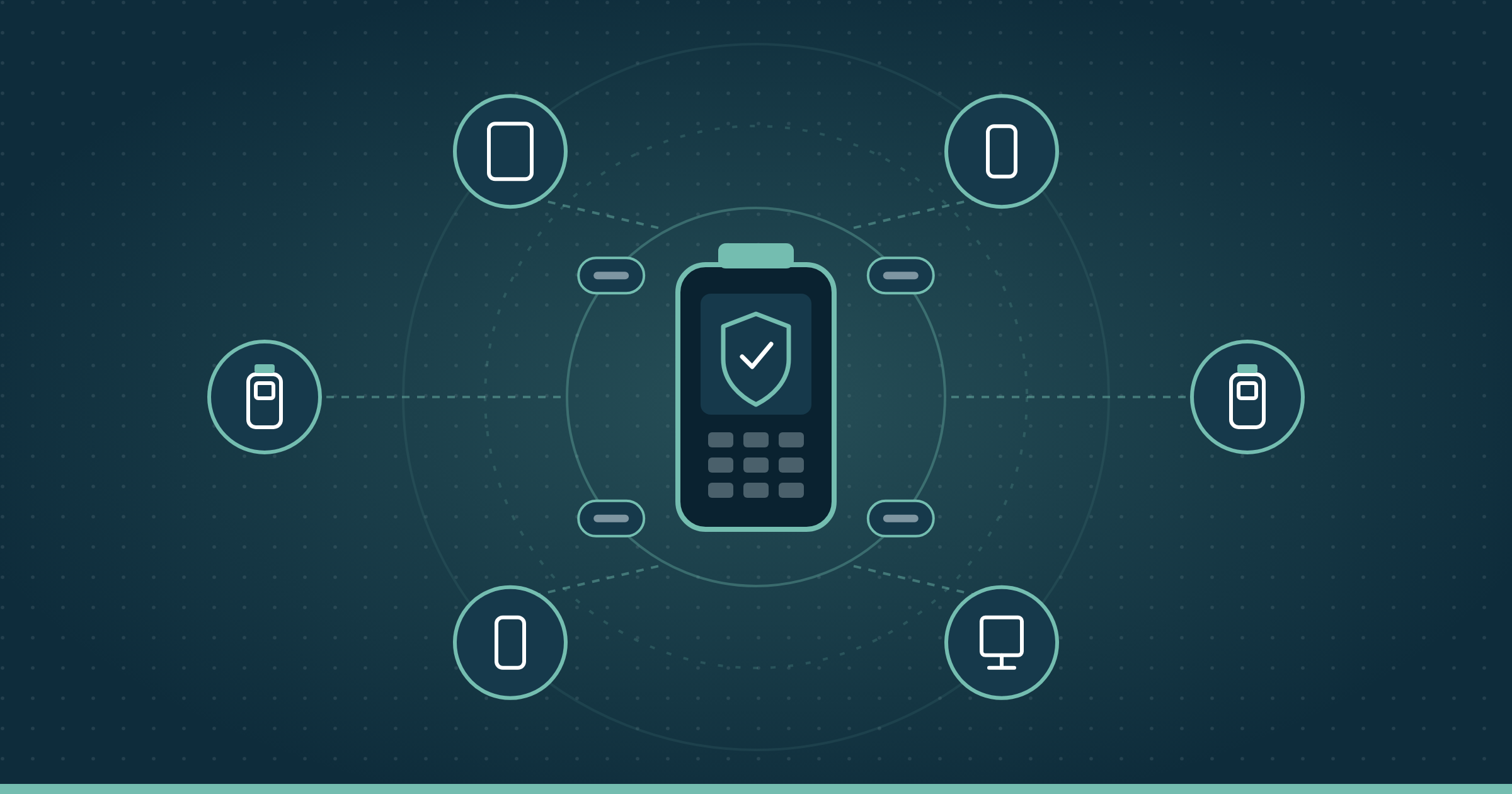
Mobile device management (MDM) is how organizations enrol, configure, secure and retire the phones, tablets and rugged handhelds their people work on. It’s the foundation every larger mobility program is built on, from enterprise mobility management to unified endpoint management.
This guide covers how MDM works on Apple, Android and Windows devices, the enrolment methods and management modes that matter, how to build a policy baseline, what Canadian privacy rules mean for MDM, and how to choose and run a platform across a distributed fleet.
Definition
Mobile device management (MDM) is software and practice for remotely enrolling, configuring, securing, monitoring and wiping an organization’s mobile devices from a central console. It works through management frameworks built into each operating system, so policies, apps and commands reach a device wherever it is.
Key takeaways
- MDM uses the operating system’s own management channel. The console sends instructions, and Apple, Android and Windows devices carry them out.
- How a device enrols decides how much control you have. Automated enrolment on company devices gives the strongest, hardest-to-remove management.
- Ownership sets the management mode. Company devices can be fully managed, while personal devices should only have a work profile managed.
- A written policy baseline matters more than the platform. Most MDM problems trace back to unclear or drifting policy.
- MDM doesn’t touch the physical device. Sourcing, staging, repair and certified data destruction sit outside the console.
In this guide
- What MDM is
- How MDM works
- Core MDM capabilities
- Enrolment methods
- Management modes by ownership
- Rugged and dedicated devices
- MDM vs MAM vs EMM vs UEM
- MDM policy baseline
- BYOD and employee privacy
- Canadian obligations
- MDM across the device lifecycle
- How to choose an MDM platform
- In-house, co-managed or as a service
- Rolling out MDM
- MDM KPIs
- MDM glossary
- FAQ
What mobile device management is
MDM gives an organization central control over the mobile devices it owns or allows. From one console, IT can push Wi-Fi and email settings, install apps, require a passcode and encryption, keep the operating system current and lock or wipe a lost device.
The Canadian Centre for Cyber Security groups MDM with enterprise mobility management and unified endpoint management as the tools organizations use to distribute, manage and control devices in the workplace. NIST’s mobile security guidance, SP 800-124 Rev. 2, treats centralized device management as a core control for any organization issuing or allowing mobile devices.
Most MDM platforms now also manage laptops and desktops, which is why the same software is often sold as EMM or UEM. The core job of MDM hasn’t changed.
How mobile device management works
Every MDM platform has three parts. There’s a console where administrators set policy, a management service that holds those policies and sends commands, and a management framework built into the device’s operating system that receives and applies them.
The device checks in with the management service, receives any new profiles, apps or commands, and reports its status back. A push service from the OS vendor wakes the device when something changes.
MDM on Apple iPhone, iPad and Mac
Apple devices use a built-in MDM protocol. Organization-owned devices are registered in Apple School Manager or Apple Business and assigned to an MDM server, then enrol automatically during Setup Assistant, according to Apple’s deployment guide. Those devices are also supervised, which allows the stronger restrictions and silent app installs that company devices need.
MDM on Android devices
Android devices are managed through Android Enterprise. The platform supports fully managed devices, work profiles and dedicated devices, each with a different scope of control. Many rugged Android devices also accept manufacturer-specific configuration on top of Android Enterprise, for scanners, buttons and battery behaviour.
MDM on Windows devices
Windows includes a built-in device management client. Microsoft describes enrolment as the first phase of enterprise management, made up of discovering the enrolment endpoint, installing certificates and provisioning the management client. Rugged Windows tablets and vehicle-mounted computers are usually managed this way alongside phones.
Core MDM capabilities
Every MDM platform covers the same core jobs. The differences are in how well each handles your device mix.
Device enrolment and provisioning
Devices join management on first boot or through an enrolment link, code or QR code. Automated methods are covered in our zero-touch provisioning FAQ and Apple DEP FAQ.
Configuration profiles
Profiles deliver Wi-Fi, VPN, email, certificates, restrictions and device settings. Good platforms layer profiles by role, site and device model.
App deployment and management
The platform installs, updates, configures and removes apps, including private line-of-business apps. On personal devices, app-level protection keeps business data inside managed apps. Our comparison of MAM vs MDM covers when app-only management is enough.
Security and compliance enforcement
MDM enforces passcodes, encryption and screen lock, blocks risky settings and flags devices that are rooted, jailbroken or out of date. Compliance status can feed identity systems so non-compliant devices lose access to email and business apps.
OS update management
Update policies decide when operating system and security updates install. Releasing updates to a test group first, then by device model, avoids breaking the apps frontline workers depend on.
Remote lock, locate and wipe
Administrators can lock a lost device, show its last known location where policy allows, clear a forgotten passcode or wipe it. On personal devices, a selective wipe removes only work data.
Inventory and reporting
The console keeps a live record of every enrolled device, its OS version, apps and compliance state. It’s only as good as enrolment coverage.
MDM enrolment methods compared
How a device enrols decides how much control you have over it and whether a user can remove management. Choosing the method is the first design decision in any MDM program.
| Method | Platform | Best for | Can the user remove management? |
|---|---|---|---|
| Automated Device Enrollment | Apple | Company-owned iPhone, iPad and Mac | No, when supervised and profile removal is blocked |
| Zero-touch enrolment | Android | Company-owned Android phones and rugged devices | Not without a factory reset, which re-enrols the device |
| QR code or token enrolment | Android | Devices bought outside zero-touch channels, dedicated devices | Not on fully managed or dedicated devices |
| Automatic or Autopilot-style enrolment | Windows | Company laptops and rugged Windows tablets | Restricted by policy |
| User or account-driven enrolment | Apple, Android, Windows | Personal devices under BYOD | Yes, by design |
| Manual enrolment by link or app | All | Small batches and exceptions | Often yes |
Apple notes that a supervised device can’t be unenrolled by the user, and administrators can also block removal of the enrolment profile. That’s the level of control company-owned frontline devices usually need.
Just know that automated enrolment depends on how the device was bought. Devices need to be registered by an authorized reseller or added to the organization’s account before they ship, which is easiest to get right at purchase rather than after.
MDM management modes by device ownership
The Cyber Centre’s guidance describes three main ownership models, COBO, COPE and BYOD, and notes that management tools have the least reach on personal devices. Rugged and single-purpose devices add a fourth case.
| Ownership model | Typical MDM mode | What IT controls | What IT can’t see |
|---|---|---|---|
| COBO (corporate-owned, business only) | Fully managed device | The whole device, its apps, settings and updates | Not applicable, the device is work-only |
| COPE (corporate-owned, personally enabled) | Work profile on a company-owned device | Device-level security plus the work profile | Personal apps and data in the personal profile |
| BYOD (bring your own device) | Work profile or user enrolment | Work apps, work data and a small set of device checks | Personal apps, photos, messages and browsing |
| Dedicated or shared device | Dedicated device or kiosk mode | The whole device, locked to approved apps | Not applicable, the device is work-only |
Our Android work profile FAQ explains how work and personal data are separated on Android.
MDM for rugged, shared and dedicated devices
Handhelds, scanners, vehicle-mounted computers and shared tablets are where most MDM effort goes.
Android’s dedicated device requirements cover devices locked to one purpose, such as scanning, check-in or point of sale. Those devices need kiosk lockdown, shared sign-in, scanner and button configuration, and updates scheduled around shift patterns rather than office hours.
Here’s what actually happens when rugged devices are managed like office phones. An OS update installs mid-shift, the scanning app stops working on one model, and a whole site goes back to paper until someone rolls it back.
Our guides to rugged mobile computing, MDM in the warehouse and endpoint management for frontline devices go deeper on each device class.
MDM vs MAM vs EMM vs UEM
These four terms describe overlapping layers of the same toolset. MDM is the base, and each larger category adds scope on top of it.
| Category | What it manages | What it adds | Fits when |
|---|---|---|---|
| MDM | Mobile devices | Enrolment, configuration, security, remote lock and wipe | Company-owned phones, tablets and rugged devices |
| MAM | Apps and app data | App-level protection without managing the device | Personal devices where device control isn’t appropriate |
| EMM | Mobile devices, apps, content and identity | MDM plus MAM, content management and access control | Mixed company and personal mobile fleets |
| UEM | Every endpoint, including laptops and desktops | One console and policy set across mobile and computers | Organizations consolidating mobile and PC management |
For the full comparison, see MDM vs UEM vs EMM. For the broader categories, see our guides to enterprise mobility management and unified endpoint management.
How to build an MDM policy baseline
A policy baseline is the minimum set of settings every managed device gets before any role or site rules are added. It’s the document that makes an MDM program auditable.
The table below is a starting point drawn from NIST SP 800-124 Rev. 2 and the Cyber Centre’s mobile guidance. Adjust each setting to your risk profile and device mix.
| Control area | Baseline setting | Why it matters |
|---|---|---|
| Passcode | Required, with a minimum length and auto-lock after a short idle period | Protects data on lost or stolen devices |
| Encryption | Device encryption on, verified by compliance check | Keeps stored data unreadable without the passcode |
| OS version | Minimum supported version, with updates staged by model | Closes known vulnerabilities without breaking apps |
| Integrity | Block or quarantine rooted and jailbroken devices | Compromised devices can’t be trusted to enforce policy |
| App sources | Managed app store only, with sideloading blocked | Stops untrusted apps reaching business data |
| Data separation | Work data stays in managed apps or the work profile | Limits leakage and supports selective wipe |
| Network | Managed Wi-Fi and VPN profiles, with certificates where possible | Removes shared passwords from the field |
| Lost device | Remote lock and wipe enabled, with a defined reporting process | Shortens the window between loss and response |
| Compliance action | Non-compliant devices lose access after a grace period | Turns policy into an enforced control |
| Retirement | Wipe, remove from management and release activation locks before reuse or disposal | Prevents locked, orphaned or unwiped devices |
Layer everything else on top. Role rules come next, then site rules, and exceptions sit at the very top where they’re visible and easy to review.
Policy drift is what happens when that structure breaks down. Our post on MDM policy drift in Canadian fleets covers how to spot and fix it.
MDM, BYOD and employee privacy
On a personal device, the goal is to protect work data, not to manage the phone.
The Office of the Privacy Commissioner recommends that organizations considering BYOD complete a privacy impact assessment, set a clear policy and separate work and personal information. In practice, that means a work profile or user enrolment rather than full device management, and an employee-facing explanation of exactly what IT can and can’t see.
Just know that a selective wipe only works if work data stayed inside managed apps. If employees saved work files to personal storage, MDM can’t reach them.
Our post on managing BYOD covers program design, and Alberta PIPA and employee device monitoring covers provincial monitoring rules.
Mobile device management in Canada: privacy and compliance obligations
Canadian privacy law shapes how far MDM monitoring can go and what happens when a managed device is lost. This table shows the obligations most often in play for an MDM program.
| Obligation | Who it applies to | What it means for MDM | What to ask |
|---|---|---|---|
| PIPEDA accountability | Private-sector organizations in commercial activity | You remain accountable for personal information on managed devices, including when a provider handles it | What device data does our platform collect, and who can see it? |
| PIPEDA breach reporting | Organizations subject to PIPEDA | Breaches that create a real risk of significant harm must be reported and recorded, and a lost unencrypted device can qualify | Can we prove a lost device was encrypted and wiped? |
| BC and Alberta PIPA | Private-sector organizations in British Columbia and Alberta | Provincial private-sector privacy laws apply in place of PIPEDA for many activities, including employee monitoring | Does our monitoring stay within what’s reasonable for the purpose? |
| Quebec Law 25 | Organizations handling personal information of people in Quebec | A privacy impact assessment is required before personal information is communicated outside Quebec, and penalties can reach $10 million or 2% of worldwide turnover | Where is the MDM service hosted, and where are devices repaired or wiped? |
| Ontario PHIPA | Health information custodians and their agents in Ontario | Clinical devices holding personal health information need added safeguards, with penalties of up to $50,000 for individuals and $500,000 for organizations | How are clinical devices locked down, monitored and wiped? |
| ITSG-33 | Government of Canada departments | MDM configuration supports controls selected from a defined security control catalogue | Which ITSG-33 controls does our MDM baseline map to? |
Sources for each row are the Privacy Commissioner’s accountability principle and breach reporting guidance, Quebec’s Commission d’accès à l’information on privacy impact assessments and sanctions, Ontario’s Information and Privacy Commissioner and the Cyber Centre’s ITSG-33 guidance.
The cost of getting it wrong is real. IBM’s 2026 report, conducted by the Ponemon Institute, put the average cost of a data breach in Canada at CA$7.11 million.
Our guides to PIPEDA, BC PIPA, Law 25, PHIPA and ITSG-33 cover each in depth. These are planning considerations, not legal advice, so confirm specific obligations with your legal and privacy teams.
Where MDM fits in the device lifecycle
MDM manages a device from enrolment to wipe. Everything before and after that window is physical work the console can’t do.
Before enrolment
Devices are sourced, registered for automated enrolment, unboxed, charged, labelled, enrolled and tested before they reach a worker. Our staging and deployment guide covers that process.
While in service
MDM handles configuration, apps, updates and compliance. When a device breaks, someone still has to swap it, repair it and re-enrol the replacement, which is where spare pool management matters.
At retirement
A remote wipe from the console isn’t the same as certified data destruction. NIST’s media sanitization guidance, SP 800-88 Rev. 2, sets out how sanitization should be performed and verified before a device is reused or disposed of.
Retirement is also where activation locks cause trouble. A device still tied to a former employee’s account can’t be reused, as our Activation Lock FAQ explains.
How to choose an MDM platform
Most MDM platforms cover the basics well. The choice comes down to how each one handles your hardest devices, your admin structure and your exit options.
| Criterion | What good looks like | Weight for frontline fleets |
|---|---|---|
| Operating system coverage | Full support for every OS and version in your fleet, including rugged Android builds | High |
| Dedicated and kiosk modes | Reliable lockdown, shared sign-in and quick recovery for single-purpose devices | High |
| Manufacturer-specific configuration | Native support for rugged device settings such as scanners and buttons | High |
| Automated enrolment | Zero-touch, Automated Device Enrollment and Windows automatic enrolment all supported | High |
| Update control | Staged OS updates by device model and group | Medium |
| Role-based administration | Separate admin scopes by region, site or business unit | Medium |
| Remote support | Remote view or control for troubleshooting in the field | Medium |
| Reporting and integrations | Exportable inventory and compliance data, plus identity and service desk integrations | Medium |
| Exit terms | Clear data export and a documented migration path | Medium |
Questions to put in an RFP or demo include these.
- Which of our device models and OS versions are fully supported today? Ask for the support list, not a general claim.
- How are dedicated devices recovered when an app or kiosk session fails? Ask for a live demonstration.
- How are OS updates staged and paused by model? Ask to see the update policy screen.
- How is admin access separated by site or region? Ask to see the role model.
- What does migration from our current tool involve? Ask whether devices must be reset and re-enrolled.
- What happens to our data and configuration if we leave? Ask for export formats and timelines.
For a ranked view of service providers rather than platforms, see our ranking of MDM managed service providers in Canada.
How MDM is priced
Most MDM platforms charge per device or per user per month, with features split across tiers. Per-device pricing suits shared frontline devices, and per-user pricing suits staff who carry several devices.
Check which tier includes kiosk mode and remote control before comparing prices, and remember administration time usually outweighs the licence. Our MDM cost guide breaks down the full picture.
MDM operating models: in-house, co-managed or as a service
Buying an MDM licence and running MDM well are different jobs. Most organizations land on one of three models.
| Model | Who runs the platform | Fits best when |
|---|---|---|
| In-house | Your administrators | The fleet is uniform and your team has depth on the platform |
| Co-managed | You own policy, a provider handles daily administration | You want control of security decisions without the workload |
| MDM as a Service | A provider’s certified administrators, to your policy | The fleet is distributed, mixed and frontline-critical |
Our post on what your MDM licence doesn’t cover breaks down the weekly administration workload. The MDM as a Service guide explains the managed model, and MDM as a Service in Canada covers what to expect from a Canadian provider.
Common mobile device management challenges
Most MDM problems come from how the platform is run. Our post on the challenges of MDM covers each in more detail.
Devices that never enrolled. Replacement, reset or directly purchased devices skip automated enrolment and never appear in the console. Monthly reconciliation against purchase and carrier records finds them.
Exceptions that never expire. A site gets a temporary policy exception, then another, until the console no longer matches the written baseline.
Here’s what actually happens next. An audit asks which devices meet the baseline, and nobody can answer without checking each site by hand.
Deferred updates. Updates get postponed for app compatibility and never revisited, so part of the fleet falls several versions behind.
Locked devices at end of life. Devices come back still tied to a user account or management server and can’t be reused or resold.
Knowledge in one head. The platform works, but only one administrator knows why each profile exists. Document every profile and change.
MDM best practices for distributed fleets
A few habits separate MDM programs that hold up under audit.
- Buy for automated enrolment, so every company device arrives already tied to your MDM.
- Write the baseline down and version it, starting from the table above.
- Layer policy, with exceptions only at the top layer and a review date on each.
- Stage updates by device model, with a test group first.
- Reconcile inventory monthly against purchase and carrier records.
- Close the loop at retirement with a wipe, unenrolment, lock release and certified destruction where required.
How to roll out mobile device management
A new MDM rollout, or a move from one platform to another, follows the same five steps. The order matters more than the speed.
Step 1. Inventory the fleet
List every device by model, OS, ownership, site and current management state.
Step 2. Write the baseline and modes
Decide the management mode for each ownership model and write the policy baseline before building anything in the console.
Step 3. Pilot by device class
Enrol a small group of each device type, including at least one rugged model and one shared device, and test every critical app.
Step 4. Enrol in waves
Roll out by site or region, with automated enrolment for new devices and a planned re-enrolment for existing ones. Platform migrations often require a reset, so schedule waves around shifts.
Step 5. Hand over to steady-state operations
Set the KPIs, review cadence and change process that keep the program on baseline.
A recent PiiComm rollout for a freight carrier staged and deployed about 800 devices across its depots in six weeks, as described in the transportation case study.
MDM KPIs worth tracking
A short set of measures tells you whether MDM is working.
| KPI | What it measures | What it tells you |
|---|---|---|
| Enrolment coverage | Enrolled devices as a share of devices owned | Whether the console reflects the real fleet |
| Compliance rate | Devices meeting the policy baseline | Whether policy is enforced in practice |
| Time to patch | Days from OS update release to fleet-wide install | Exposure to known vulnerabilities |
| Open exceptions | Policy exceptions past their review date | How much drift is building up |
| Lost device response time | Time from report to lock or wipe | Readiness for a potential breach |
| Devices out of contact | Devices with no check-in for 30 days or more | Lost, idle or orphaned assets |
Mobile device management priorities by industry
What changes by industry is which devices matter most and which rules apply.
Healthcare
Shared clinical devices need fast sign-in, strict lockdown and safeguards for personal health information. See MDM for healthcare.
Retail
Store devices need consistent configuration across hundreds of locations and quick swaps when one fails. See MDM for multi-location retail.
Transportation and logistics
Drivers and depot staff rely on rugged handhelds and vehicle-mounted devices that rarely return to head office, so every change has to work over the air.
Warehouse, distribution and manufacturing
Scanners and handhelds run on shift schedules, so updates and downtime have to be planned around them. See MDM for Canadian manufacturing.
Government and public safety
Public sector organizations need configurations that map to their security control frameworks, procurement rules and French-language requirements.
Where PiiComm fits in mobile device management
PiiComm is Canada’s largest pure-play managed mobility services provider. We don’t sell an MDM platform. Through MDM as a Service, our certified technicians administer the MDM platform you already use, to your policy, with a focus on rugged and frontline devices.
The work MDM can’t do happens in-house, in Canada, through staging and deployment, lifecycle management and secure decommissioning. We’re a strong fit for organizations running handhelds, scanners and tablets across many sites, and not the right choice if your fleet is mostly office laptops.
MDM glossary: key terms
These are the terms that come up most often when planning and running MDM.
| Term | Meaning |
|---|---|
| Activation Lock | An Apple feature that ties a device to an account, blocking reuse until it’s released |
| Android Enterprise | Google’s framework for managing Android devices in the workplace |
| Automated Device Enrollment | Apple’s method for enrolling organization-owned devices in MDM during setup |
| BYOD | Bring your own device. An employee’s personal device used for work |
| COBO | Corporate-owned, business only. A company device used only for work |
| COPE | Corporate-owned, personally enabled. A company device with some personal use allowed |
| Compliance policy | The rules a device must meet to keep access to business systems |
| Configuration profile | A package of settings pushed to a device, such as Wi-Fi or restrictions |
| Dedicated device | A company-owned device locked to one purpose, such as scanning or check-in |
| Factory reset protection | Android protection that requires an authorized account after a reset |
| Fully managed device | An Android company device where the organization controls the whole device |
| Kiosk mode | A lockdown that limits a device to one app or a small set of apps |
| MAM | Mobile application management. Managing and protecting apps rather than devices |
| Policy baseline | The minimum settings every managed device receives before role or site rules |
| Selective wipe | Removing only work data and apps, leaving personal data in place |
| Supervision | A special Apple management state that allows stronger control of organization-owned devices |
| User enrolment | A privacy-preserving enrolment for personal devices that manages only work data |
| Work profile | A separate, managed space for work apps and data on an Android device |
| Zero-touch enrolment | Android’s method for enrolling company devices in MDM automatically on first boot |
Questions we hear about mobile device management
What is mobile device management (MDM)?
Mobile device management (MDM) is software and practice for remotely enrolling, configuring, securing, monitoring and wiping an organization’s phones, tablets and rugged devices from one console. It works through management frameworks built into Apple, Android and Windows, so policies, apps and commands reach devices wherever they are, without IT handling each device.
How does MDM work?
An administrator sets policy in a console, and a management service sends profiles, apps and commands to each device. The device’s operating system applies them and reports its status back. A push service from the OS vendor wakes the device when changes are waiting, so updates usually arrive within minutes.
What can an employer see with MDM on a personal phone?
On a personal device enrolled through a work profile or user enrolment, IT normally sees work apps, work data and basic device details such as model and OS version. Personal apps, photos, messages and browsing stay out of view. Canada’s Privacy Commissioner recommends a clear policy explaining exactly what is and isn’t visible.
Is MDM required for BYOD?
Full device management isn’t appropriate on most personal devices. Organizations usually use a work profile, user enrolment or app-level management instead, which protects work data without controlling the phone. The Privacy Commissioner recommends a privacy impact assessment and a written policy before launching any BYOD program.
What is the difference between MDM and MAM?
MDM manages the whole device, including settings, security and apps, while mobile application management (MAM) protects only business apps and the data inside them. MDM suits company-owned devices. MAM suits personal devices where controlling the device isn’t appropriate, and many organizations use both together.
What is the difference between MDM and UEM?
MDM manages mobile devices such as phones, tablets and rugged handhelds. Unified endpoint management (UEM) includes MDM and extends the same policies to laptops, desktops and often virtual desktops. If your fleet is mostly mobile, MDM may be enough, and if you’re consolidating mobile and PC management, UEM avoids running separate tools.
Can MDM wipe a lost or stolen device?
Yes. Administrators can remotely lock or fully wipe a company device, and run a selective wipe on a personal device to remove only work data. The device has to connect to the network to receive the command, which is why a passcode and encryption are still the first line of protection.
Can a user remove MDM from a company device?
It depends on how the device enrolled. A supervised Apple device enrolled through Automated Device Enrollment can’t be unenrolled by the user, and Android devices enrolled through zero-touch re-enrol after a factory reset. Devices enrolled manually are often easier to remove, which is why automated enrolment is preferred for company devices.
Does MDM work on rugged devices?
Yes, and rugged devices are where MDM needs the most care. Rugged Android handhelds and scanners use Android Enterprise dedicated or fully managed modes, often with manufacturer-specific settings for scanners, buttons and batteries. Updates need to be staged by model and timed around shifts to avoid disrupting frontline work.
Is MDM required by Canadian privacy law?
No Canadian privacy law names MDM specifically. PIPEDA, provincial private-sector laws, Quebec’s Law 25 and Ontario’s PHIPA all require reasonable safeguards for personal information, and MDM is one of the main ways organizations show those safeguards on mobile devices. Confirm specific requirements with your legal and privacy teams.
Is a remote wipe enough before disposing of a device?
Not always. A remote wipe resets the device, but certified data destruction follows a defined sanitization method and produces a record that it was done. NIST SP 800-88 Rev. 2 sets out how sanitization should be performed and verified, and devices also need to be removed from management and released from any activation locks.
Getting mobile device management right
MDM is the layer every mobility program depends on. It works when enrolment is automated, the baseline is written down and someone owns the daily administration.
If your MDM platform needs more attention than your team can give it, especially across rugged and frontline devices, talk to one of our mobility specialists.
References
- Canadian Centre for Cyber Security, Security considerations for mobile device deployments (ITSAP.70.002). Management tools and ownership models.
- NIST, SP 800-124 Rev. 2, Guidelines for Managing the Security of Mobile Devices in the Enterprise (2023). Mobile security baseline.
- NIST, SP 800-88 Rev. 2, Guidelines for Media Sanitization. Sanitization at retirement.
- Apple Platform Deployment, Automated Device Enrollment and MDM. Automated enrolment during Setup Assistant.
- Apple Platform Deployment, About Apple device supervision. Supervised devices and unenrolment.
- Google for Developers, Android Enterprise terminology. Android management modes.
- Google for Developers, Android Enterprise dedicated device requirements. Single-purpose device management.
- Microsoft Learn, Mobile device enrollment (updated August 2025). Windows enrolment phases.
- Office of the Privacy Commissioner of Canada, Is a BYOD program the right choice for your organization?. BYOD privacy recommendations.
- Office of the Privacy Commissioner of Canada, PIPEDA Fair Information Principle 1, Accountability. Accountability for personal information.
- Office of the Privacy Commissioner of Canada, What you need to know about mandatory reporting of breaches of security safeguards. Breach reporting and record keeping.
- Commission d’accès à l’information du Québec, Évaluation des facteurs relatifs à la vie privée. Law 25 assessment before communication outside Quebec.
- Commission d’accès à l’information du Québec, Sanctions et poursuites. Law 25 penalties.
- Information and Privacy Commissioner of Ontario, Administrative monetary penalties under PHIPA. PHIPA penalties.
- Canadian Centre for Cyber Security, IT security risk management, a lifecycle approach (ITSG-33). Government of Canada security control catalogue.
- IBM Canada, Canada’s data breach costs hit record high (July 2026). CA$7.11 million average Canadian breach cost; vendor-sponsored, conducted by Ponemon Institute.